
Stop re-explaining the same project — keep checklists and hard research from fighting over one chat
If you use TeeChat for real work, you have probably hit at least one of these:
- You open a new chat in the same project and spend the first messages re-pasting the SOP, naming conventions, or “don’t do X.”
- You need a checklist or write-up format for this answer — not forever — and the model freelances the structure.
- You ask something broad (“compare three approaches,” “read A and B, then recommend”) and the thread turns into a mess of half-answers.
This post is how to untangle those jobs. The product names matter less than when each habit applies.
Start with a folder that matches the work
Put related chats under a sidebar folder (for example Acme for the product line, Acme / Cold for freezer work). Membership is the bind: chats in that folder can share what belongs there; chats elsewhere should not inherit it by accident.
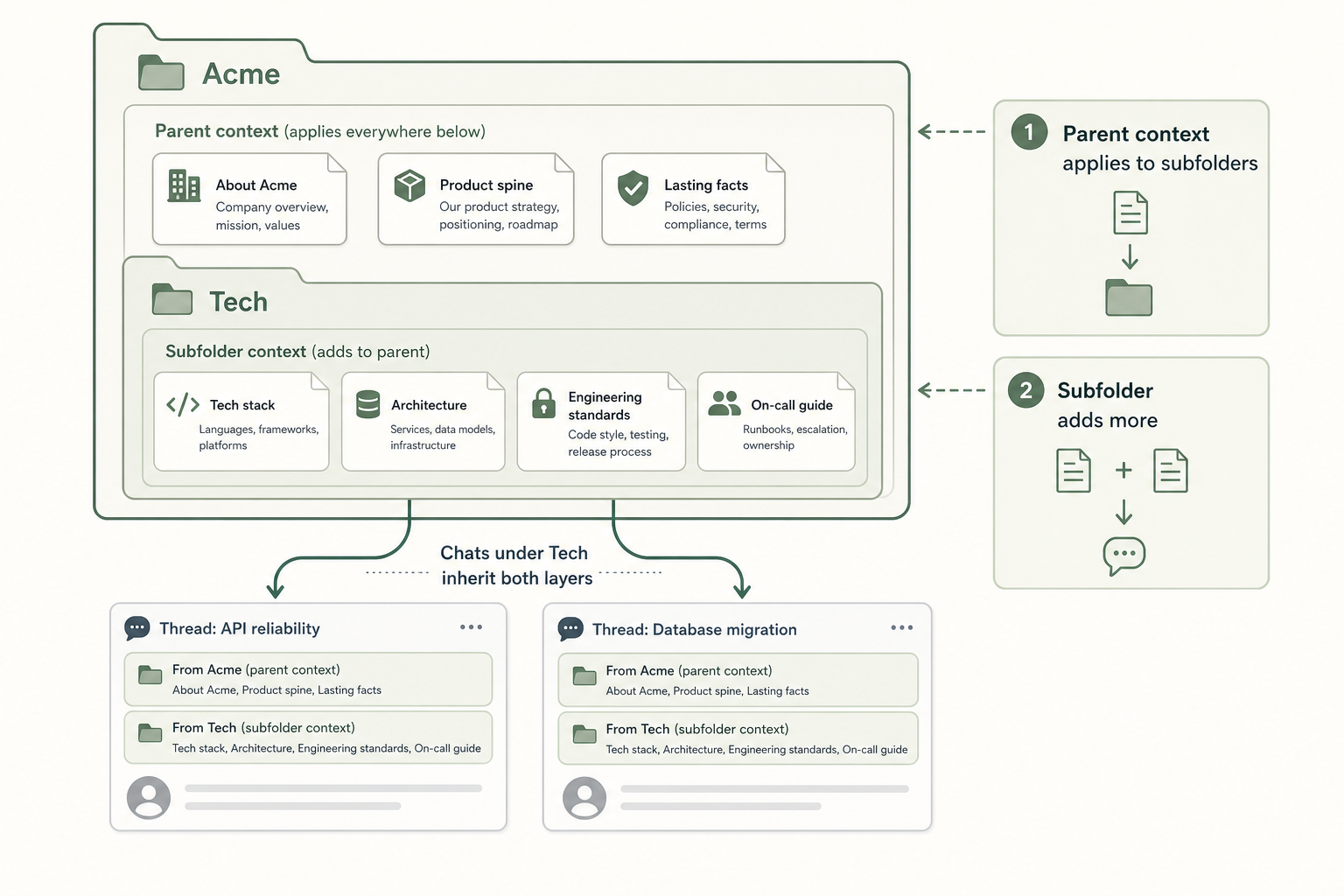
Prefer a product- or site-specific folder over a catch-all named Work. Anything you attach high in the tree will ride into every nested chat.
Problem: “I already told you this last week”
What you want: facts that should be true for every chat in this folder — SOP highlights, naming rules, “always cite lot ID,” product FAQs — without re-pasting.
What to do: on desktop, open the folder menu → Shared context…. Add notes, documents, or a fetched page (preview, then confirm — never a bare URL as silent memory). Pin what must appear every send; leave the rest for when it is relevant.
New chats started in that folder pick up the parent→child stack. The composer shows a chip like Acme · Cold so inheritance is visible, not silent.
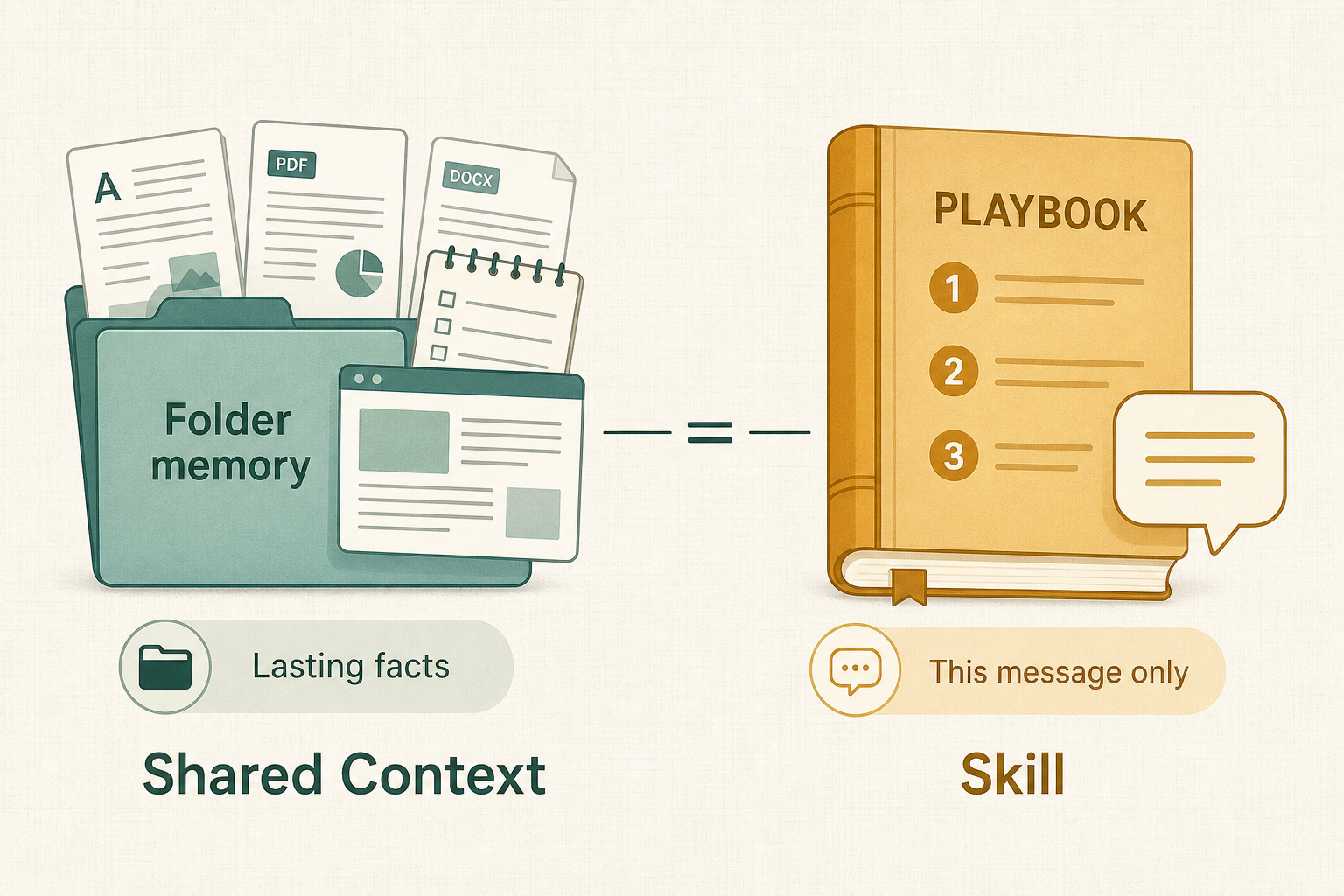
Leaving the folder (or clearing that pack) drops the memory. There is no “stay in the folder but pretend we forgot.”
Problem: “This reply needs a checklist, not a novel”
What you want: a known procedure or output shape for one answer (check-in steps, incident write-up skeleton).
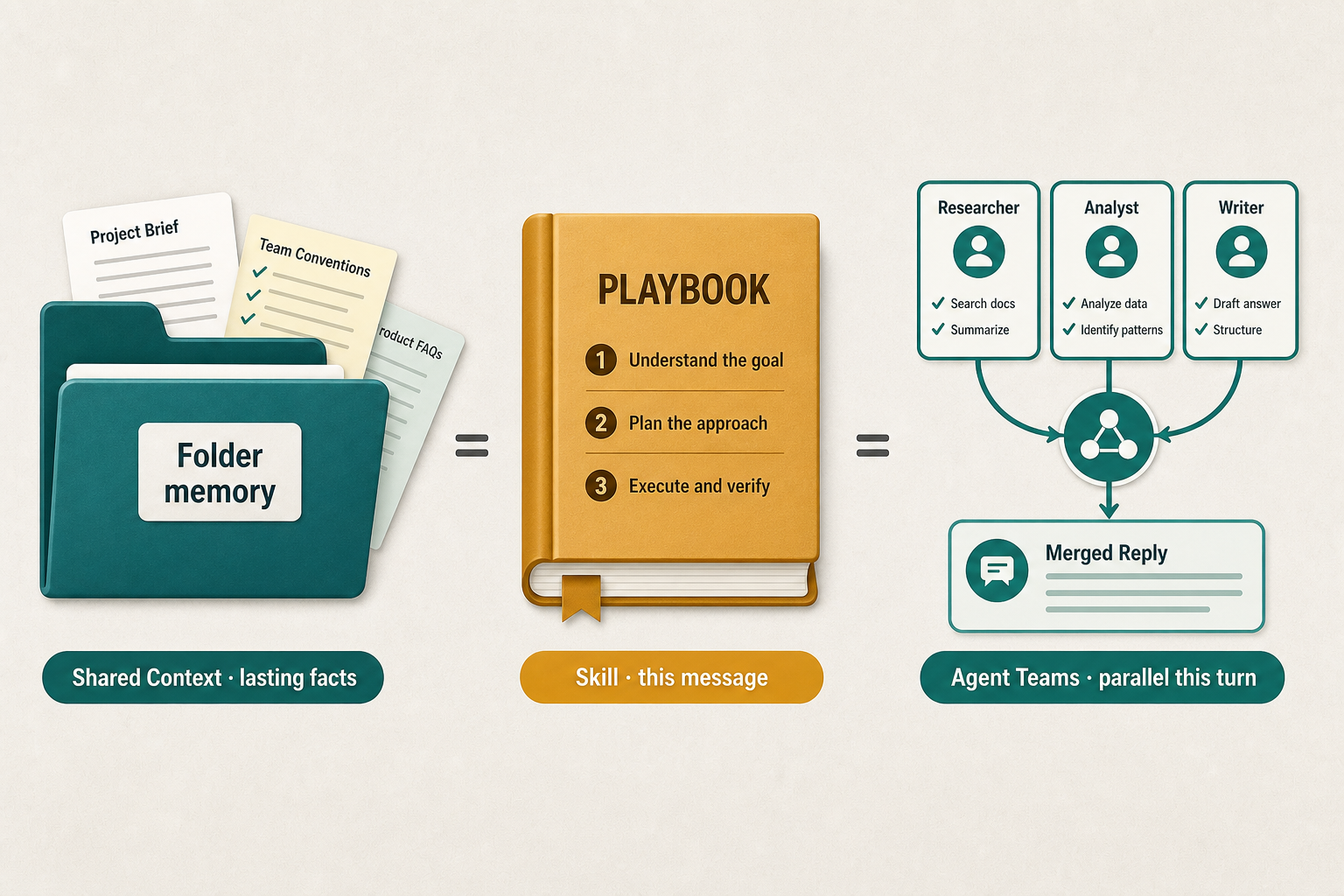
What to do: attach a Skill from the book button for that send. It rides with the message, then clears. It does not replace Shared Context.
Use Skills when the procedure is temporary. Use Shared Context when the facts should stay.
Problem: “This question is too wide for one brain dump”
What you want: research or compare several angles without flooding the main thread with every scratchpad.
What to do: on the hosted confidential path, turn on Agent Teams for that send (Pro where enabled — taste quota in-app). TeeChat plans sub-tasks, runs workers in parallel, then synthesizes one reply. You see progress chips; workers do not dump full private drafts into your history.
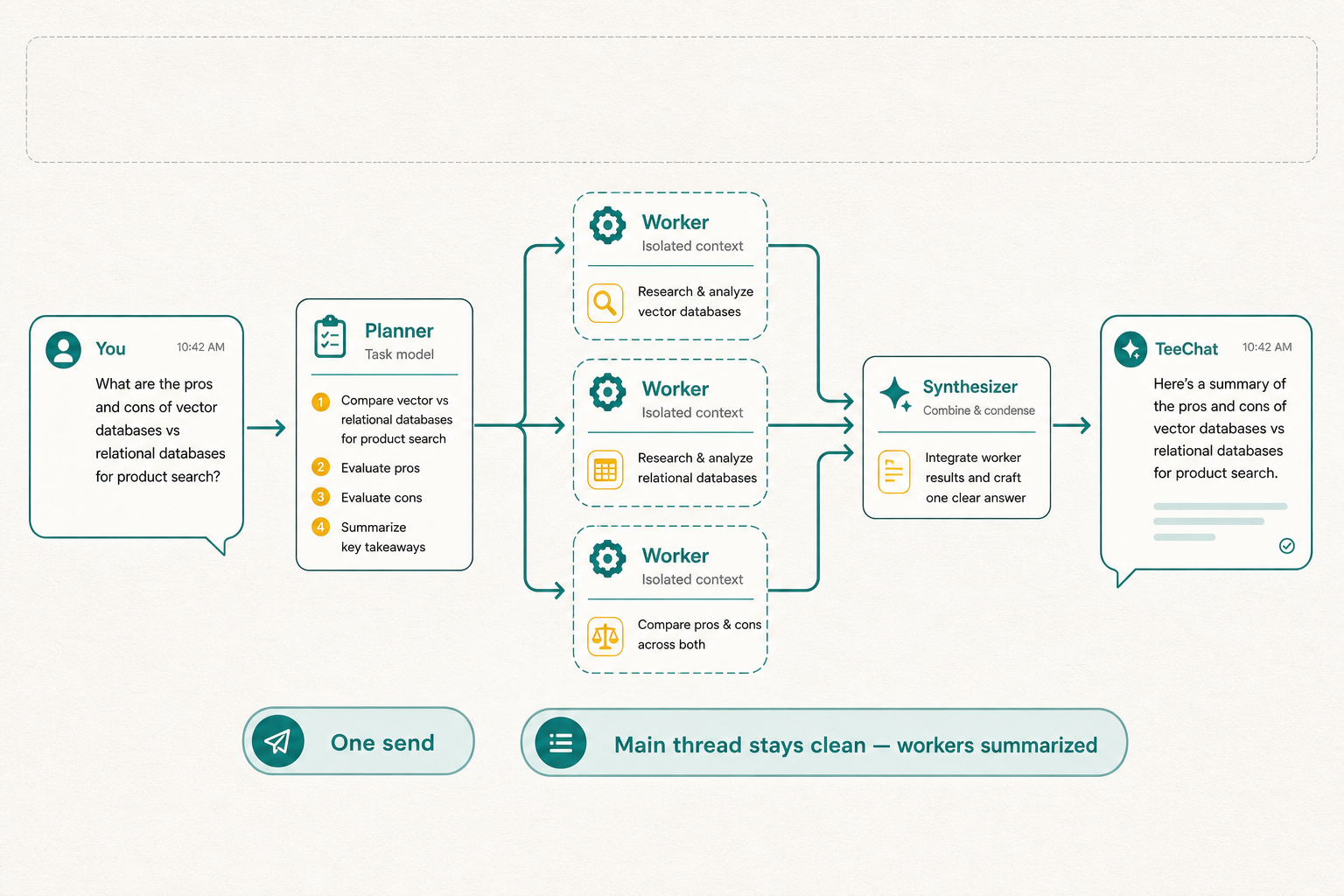
Toggle off when you are done — the next message is normal. Agent Teams does not add Shared Context for you; the Shared Context UI still owns what sticks on the folder.
One afternoon in Acme / Cold
- Put SOPs and product notes in Shared Context on
Acme/Coldonce. - For a routine check-in reply, attach a Skill so the answer follows your checklist.
- For “compare cold-chain options and recommend,” turn on Agent Teams (optionally keep the Skill for the final format).
- Folder facts stay; the team run ends when the reply lands.
Rough enrichment order when several are active: research (if on) → Shared Context → Skill → Agent Teams pipeline. Background knowledge first; your explicit procedure next; parallel workers last — as orchestration of this turn, not new permanent memory.
Quick “which tool?” card
| You’re stuck on… | Reach for… | How long it lasts |
|---|---|---|
| Re-teaching the same project facts | Shared Context | Sticky for the folder (parents stack) |
| Output shape for this reply | Skill | One send |
| A broad research or compare ask | Agent Teams | One send |
One sentence: folder membership is lasting memory; Skills and Agent Teams make this message work harder — they do not become folder memory.
Availability (so expectations stay honest)
| Capability | Where | Status |
|---|---|---|
| Agent Teams | Hosted confidential — Pro (quotas in-app) | 0.9.0+ |
| Skills | Desktop / mobile / web | Current clients |
| Shared Context | Desktop first | 0.9.0+ |
Shared Context follows the same desktop data-root story as chats. Multi-device use is DIY: point desktop (and later mobile) at a folder you sync yourself (iCloud Drive, Dropbox, encrypted volume, and so on) — TeeChat does not host a cross-device chat archive. Hosted Agent Teams still runs on TeeChat’s confidential path — workers see what that turn injects, not a TeeChat-hosted copy of your folder.
Revision log
- Agent Teams requires Pro on hosted TeeChat (taste quota).
- Remove Local Ledger / inventory and related diagrams; keep Shared Context, Skills, and Agent Teams.
- Drop link to unpublished sync-folder guide; describe DIY sync inline.